
Blog
APIM Dev Portal – GET Errors
During recent setup of Azure API Management (APIM) for a client’s published REST endpoint, we encountered this error:
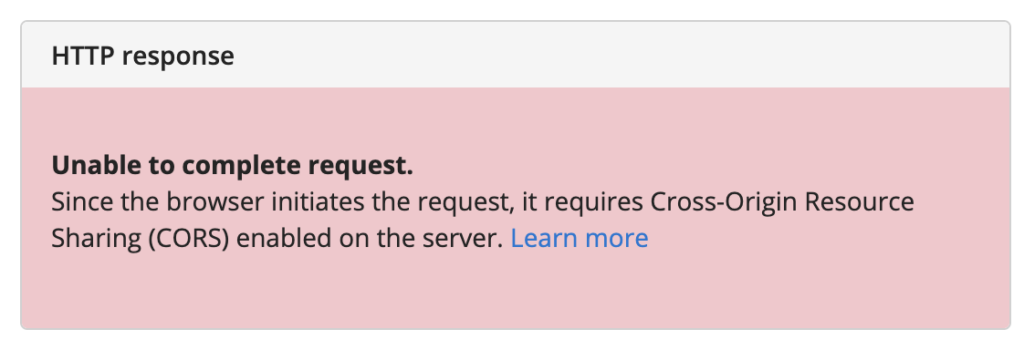
This occurs within a browser when using the APIM developer portal “Try this operation” test feature. We confess we spun our wheels on this! In part because it was not directly related to CORS (Cross-Origin Resource Sharing) configuration on the service or in APIM. What tipped us off was that the API seemed to work when called from elsewhere. When we dug into APIM we discovered the OpenAPI specification for the problem GET endpoint was as follows:
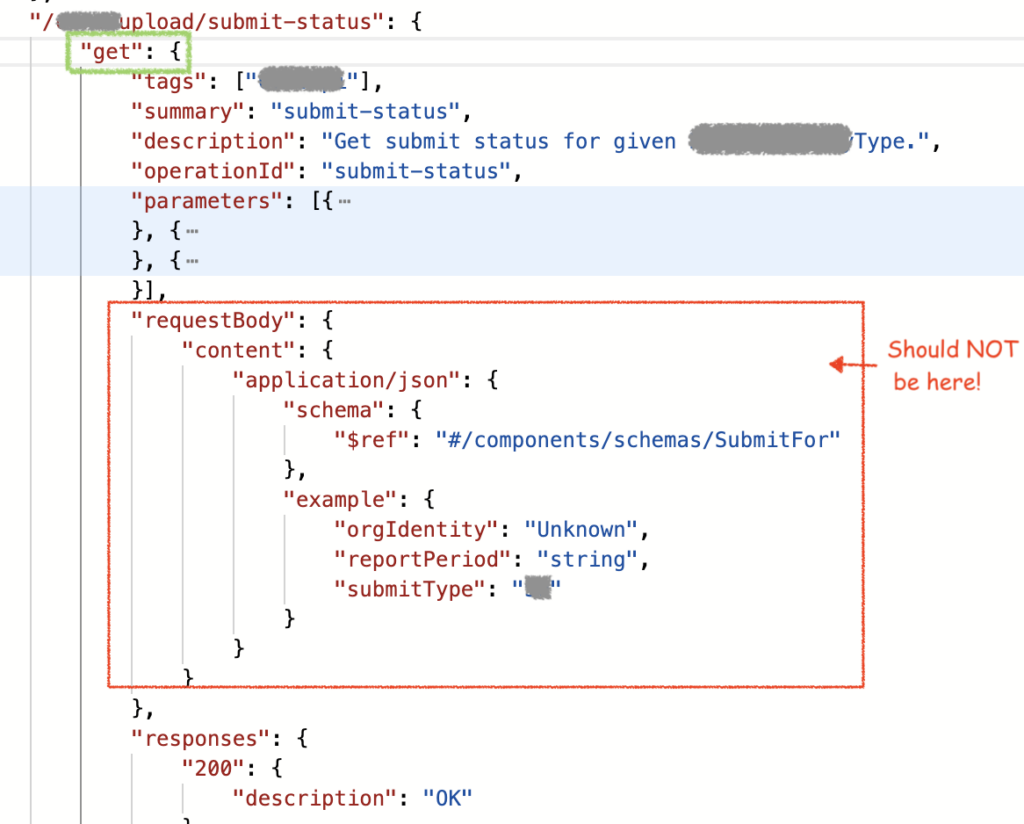
HTTP GET do not have a request body. However the APIM OpenAPI specification had gained an invalid “requestBody” section. The developer portal appears to let end users remove this but will still refer to this when posting. The result was causing APIM developer portal to trip and never even send the request. Instead it just returns CORS error witnessed above. By simply deleting the erroneous requestBody segment from the API’s OpenAPI Specification declaration in APIM admin portal, this error goes away.
DMS Group share here in case this saves others unnecessary time troubleshooting APIM. If it does, pay it forward… document something you hit and solve in future. With search engines and now AI there is good chance it may help others.

Be the first to comment